
LogoCollectAI
Submit
icon of SciDraw AI

SciDraw AI

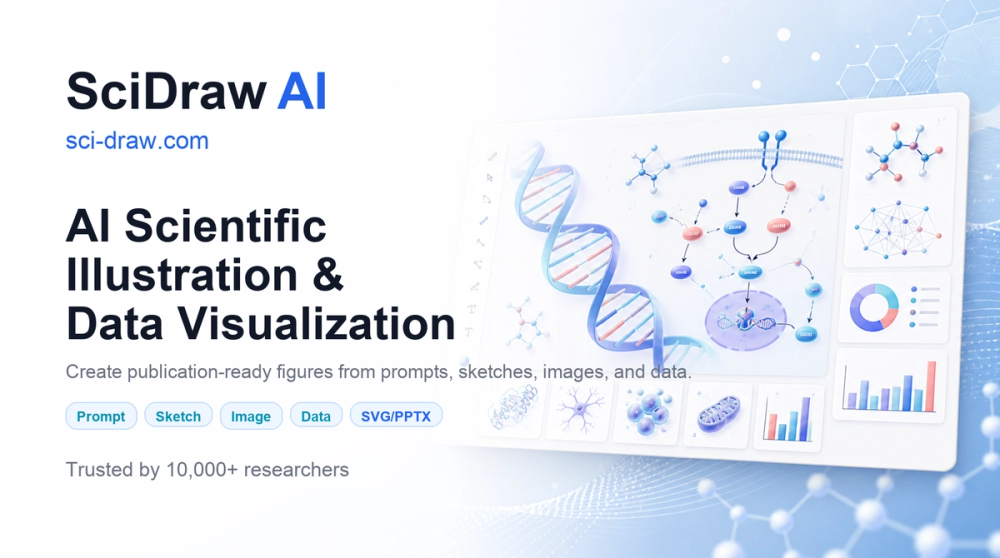
SciDraw AI is a web-based platform for generating scientific illustrations and data visualizations from text, sketches, or CSV/Excel data.

Summary

SciDraw AI is a web-based tool that uses artificial intelligence to generate scientific illustrations and data charts for academic and educational use.

What is SciDraw AI?

SciDraw AI is a web-based platform designed to assist researchers, students, and educators in creating scientific illustrations and data visualizations. It provides a UI-first workflow that allows users to generate figures through text prompts, sketch refinement, or by uploading CSV and Excel data files.

Key Features
  • Text-to-Image Generation: Creates scientific illustrations based on user-provided text descriptions.
  • Sketch Refinement: Converts hand-drawn sketches into polished scientific figures.
  • Data Visualization: Generates charts from CSV or Excel data, including box plots, violin plots, scatter plots, and heatmaps.
  • Vector and Presentation Export: Supports SVG and PDF formats for professional use, and PPTX files for editing labels in PowerPoint or Adobe Illustrator.
  • Journal Standards: Includes templates and formatting presets aligned with Nature, Science, Cell, PLOS, and ACS standards.
  • Multi-Round Editing: Allows for iterative adjustments to images through a conversational interface.

Key Highlights

  • Generates scientific illustrations from text descriptions and hand-drawn sketches.
  • Creates publication-ready charts from CSV and Excel data files.
  • Supports SVG, PDF, PNG, EPS, and TIFF export formats.
  • Provides templates for TOC graphics, journal covers, and mechanism diagrams.
  • Offers journal-specific formatting presets for major publications like Nature and Science.
  • Includes built-in colorblind-friendly palettes such as Okabe-Ito.

Ideal For

  • 1.Researchers creating figures for journal submissions
  • 2.Graduate students designing thesis diagrams
  • 3.Educators preparing classroom handouts and lecture materials
  • 4.Science communicators developing infographics for general audiences

Pros

  • Offers a daily credit allowance for free users.
  • Provides editable export options for further refinement in external design software.
  • Includes specific presets for major scientific journal standards.

Cons

  • No public API, SDK, or CLI available for developers
  • Requires user registration to access the platform
  • Web-only interface with no dedicated mobile application mentioned

Frequently Asked Questions

Is there a free tier available?

New users receive 10 credits upon registration, with an additional 5 free credits provided daily. Standard 2K prompt or custom image generation typically costs 5 credits.

Does SciDraw AI provide an API for developers?

The platform currently does not offer a public REST API, OpenAPI specification, MCP server, webhooks, SDK, or CLI. Users are advised to utilize the web interface.

What file formats are supported for export?

Users can export their work as SVG or PDF files for use in journals, as well as PPTX files for further editing in PowerPoint or Adobe Illustrator. Data charts can be exported as PNG, PDF, EPS, or TIFF.

What types of scientific figures can be created?

The platform provides templates for various scientific needs, including TOC graphics, journal covers, mechanism diagrams, pathways, and cell/textbook illustrations. It also includes presets for Nature, Science, Cell, PLOS, and ACS journal standards.

Information

Traffic

Last update: N/A

Latest month
N/A

No traffic data available yet.

Newsletter

Join the Community

Subscribe to our newsletter for the latest news and updates