LogoCollectAI
Submit
icon of HappyHorse AI

HappyHorse AI

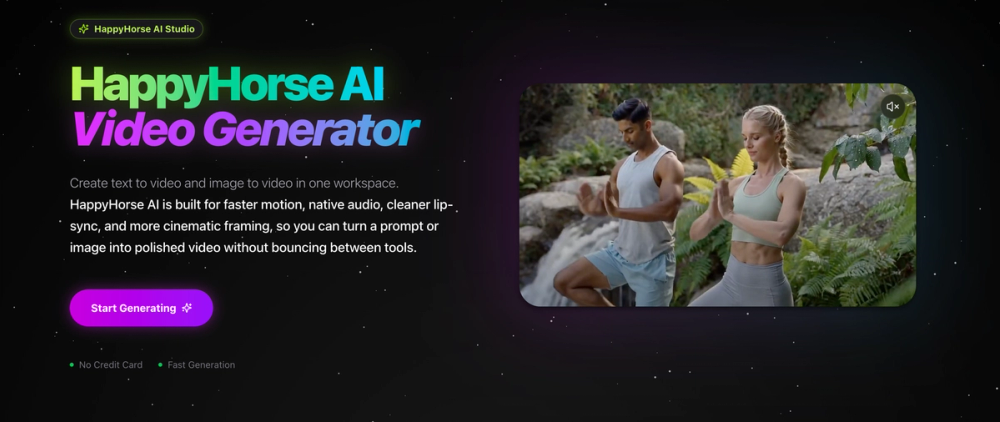
HappyHorse AI is a free online video generator that creates stunning 1080p cinematic videos from text or images using advanced motion synthesis technology.

Summary

HappyHorse AI is a powerful, free-to-use online video generator that utilizes advanced motion synthesis to turn text and images into high-definition 1080p cinematic videos.

What is HappyHorse AI?

HappyHorse AI is a cutting-edge, browser-based video generation platform designed to transform simple text prompts or static images into high-quality, 1080p cinematic videos. By leveraging a proprietary motion synthesis engine, the tool enables users to create professional-grade content with realistic movement and seamless transitions without the need for expensive hardware or complex video editing skills. Whether you are a professional creator or a hobbyist, HappyHorse AI provides an accessible, efficient workflow for bringing narrative visions to life.

Key Features
  • Native 1080p Resolution: Generate high-definition video content that meets professional broadcast standards, ensuring crisp details and rich color grading.
  • Advanced Motion Synthesis: Utilize a sophisticated AI engine that produces fluid, natural motion, from subtle facial expressions to complex full-body sequences.
  • Multi-Shot Storytelling: Maintain consistent character identity, wardrobe, and visual atmosphere across multiple scene transitions for cohesive narrative projects.
  • Text-to-Video & Image-to-Video: Flexibility to start from scratch with descriptive text prompts or breathe life into existing static images using intelligent AI transformation.
  • Diverse Visual Styles: Access a wide library of aesthetic styles, ranging from photorealistic and cinematic to stylized anime and artistic interpretations.
  • Ultra-Fast Processing: Experience industry-leading generation speeds that allow you to iterate on your creative ideas in moments, boasting a 99.5% success rate.

Key Highlights

  • Generates high-definition 1080p cinematic videos directly from text or images.
  • Features a proprietary motion synthesis engine for fluid and realistic character movement.
  • Supports multi-shot storytelling to maintain visual consistency across complex narratives.
  • Offers a user-friendly, browser-based interface with no software installation required.
  • Provides free daily credits, allowing users to start creating immediately without a sign-up.
  • Delivers professional-grade output suitable for marketing, social media, and creative projects.

Ideal For

  • 1.Content creators looking to produce cinematic 1080p videos quickly without complex editing software.
  • 2.Social media managers who need to generate engaging, high-quality video content for marketing campaigns.
  • 3.Digital artists wanting to transform static images into dynamic, motion-synthesized video clips.
  • 4.Small business owners who need professional-grade product demonstrations or promotional videos on a budget.

Frequently Asked Questions

Is HappyHorse AI free to use?

Yes, HappyHorse AI offers free daily credits for users to generate videos without needing to sign up. For higher usage limits and commercial rights, premium subscription plans are available.

Do I need to download software to use HappyHorse AI?

HappyHorse AI is a browser-based tool that works on all major desktop and mobile browsers. No software installation or app download is required to start creating videos.

How does HappyHorse AI compare to other AI video generators?

HappyHorse AI stands out by offering native 1080p resolution, advanced multi-shot storytelling capabilities, and a 99.5% success rate, making it ideal for professional-grade content creation.

Can I use videos generated by HappyHorse AI for commercial projects?

Yes, premium subscription plans include commercial usage rights, allowing you to monetize the high-definition videos you create for marketing, social media, or professional projects.

How do I get started with HappyHorse AI?

Simply visit the HappyHorse AI website, choose between text-to-video or image-to-video, enter your prompt or upload an image, and click generate to receive your 1080p video.

Information

Traffic

Last update: N/A

Latest month
N/A

No traffic data available yet.

Newsletter

Join the Community

Subscribe to our newsletter for the latest news and updates