
LogoCollectAI
Submit
Logo of GitHub Copilot

GitHub Copilot

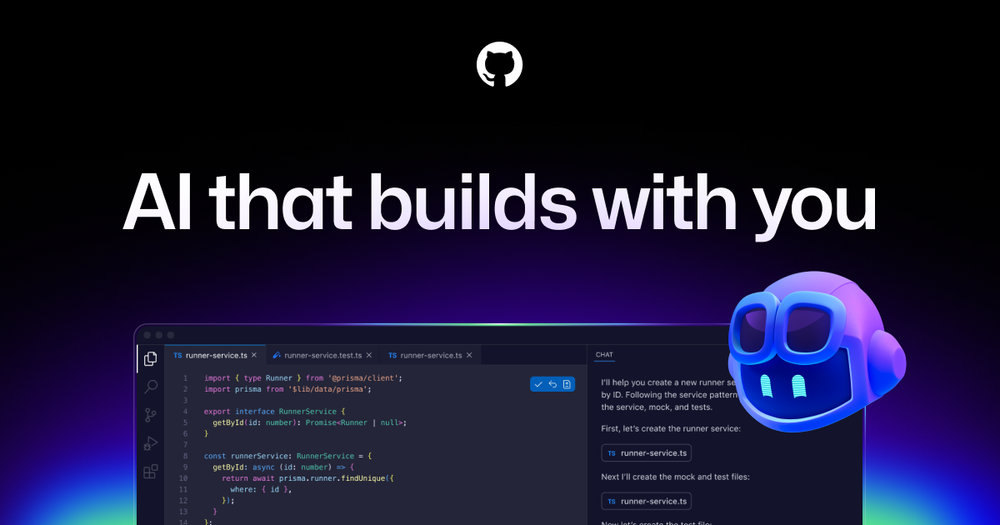
GitHub Copilot is an AI-powered pair programmer that helps you write code faster with intelligent suggestions directly in your editor. Boost your productivit...

Summary

GitHub Copilot is an AI-powered pair programmer that accelerates the software development lifecycle by providing intelligent code suggestions, chat assistance, and autonomous agent capabilities directly in your editor.

What is GitHub Copilot?

GitHub Copilot is an advanced AI-powered pair programmer that works directly within your code editor to help you write better code faster. By leveraging large language models trained on vast amounts of public code, it provides real-time suggestions for whole lines or entire functions, allowing developers to focus on complex problem-solving rather than repetitive boilerplate. Whether you are working in a local IDE or directly on GitHub, Copilot acts as an intelligent accelerator for your entire development workflow.

Key Features
  • Context-Aware Code Completion: Receives intelligent suggestions based on the code in your current file, open tabs, and project structure.
  • Natural Language to Code: Allows you to describe the logic you need in plain English, and Copilot generates the corresponding code implementation.
  • Agent Mode: Enables autonomous agents to perform complex tasks like creating pull requests, running tests, and validating file changes.
  • Integrated Chat Assistance: Provides an interactive chat interface within your IDE to explain code, debug errors, and answer technical questions.
  • Terminal Integration: Brings AI-powered command suggestions and workflow planning directly to your command line interface.
  • Enterprise-Grade Security: Offers robust policy management, audit logs, and optional filters to prevent suggestions that match public code.


Key Highlights

  • Boosts developer productivity by up to 55% without sacrificing code quality.
  • Seamlessly integrates into major IDEs including VS Code, JetBrains, and Visual Studio.
  • Provides unlimited inline suggestions and chat assistance for Pro subscribers.
  • Supports a wide range of programming languages and frameworks.
  • Includes optional code referencing filters to mitigate intellectual property risks.
  • Offers enterprise-grade security controls and audit logs for organizational governance.

Ideal For

  • 1.Software developers looking to increase coding speed and reduce boilerplate tasks.
  • 2.Enterprise teams needing to standardize coding practices and improve developer velocity.
  • 3.Open source maintainers who want to streamline code reviews and documentation.
  • 4.Students and beginners learning new programming languages with AI-guided assistance.

Frequently Asked Questions

Is GitHub Copilot free to use?

Yes, GitHub Copilot offers a free tier for individual developers with limited monthly completions and chat requests, alongside paid Pro and Business plans.

How does GitHub Copilot differ from standard IDE autocomplete?

GitHub Copilot is an AI-powered coding assistant that suggests code, explains functions, and automates workflows, whereas standard IDE autocomplete only suggests basic syntax based on local files.

Which IDEs and platforms does GitHub Copilot support?

GitHub Copilot integrates seamlessly with popular IDEs like Visual Studio Code, Visual Studio, JetBrains, and Neovim, and is also available via the GitHub CLI.

Does GitHub Copilot copy and paste code from public repositories?

GitHub Copilot does not "copy and paste" code; it uses probabilistic models to generate suggestions based on your current file context and workspace, helping you write original code faster.

Can I prevent GitHub Copilot from suggesting code that matches public repositories?

Yes, GitHub Copilot includes optional filters to detect and suppress code suggestions that match public code on GitHub, helping you manage intellectual property risks.

Information

Traffic

Last update: N/A

Latest month
N/A

No traffic data available yet.

Newsletter

Join the Community

Subscribe to our newsletter for the latest news and updates