
DeskSprite is a desktop pet application that places an animated companion on your computer screen. It is distributed as a free Windows download and a free Chrome extension, with macOS builds listed as "Coming soon." The pet reacts to clicks, follows your cursor, can be dragged to any screen position, and naps during a built-in Pomodoro focus timer. A separate AI Custom feature generates a personal pet from 1–3 uploaded photos.
Key Features
- Built-in pet on first launch — the default pet moves in automatically after install, with no account required.
- Click and cursor reactions — tapping the pet triggers a reaction animation, and it looks up when the cursor comes close; no click is needed for the gaze response.
- Drag-and-place positioning — the pet can be picked up and settled on a screen edge, beside a window, or in any empty corner.
- Pomodoro timer — the pet stays quiet during a focus session and reminds you when the timer ends; a control panel lets you tune animations, interaction rules, and the timer.
- AI Custom pet generation — upload 1–3 photos of a cat, dog, or other subject; AI produces a full set of action clips (idle, happy, tilt, greet, play, sleep, sleeping, wake, walk-left, walk-right, look), auto-matted and packaged into the app under "My Pets."
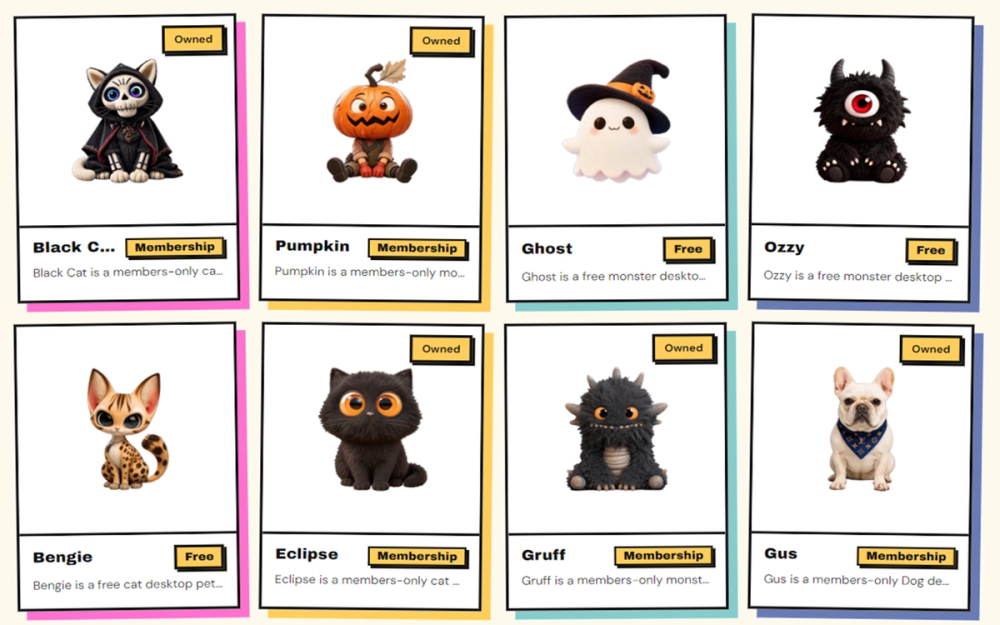
- Pet Shop — a catalog of animated pets, each using the same action set, split between free and members-only entries.
- Chrome extension — the pet walks across open web pages, reacts to clicks and cursor movement, and includes the same Pomodoro timer.
- Local data handling — pet assets, interaction rules, and settings stay on your own computer; uploaded AI Custom photos are used only to generate the custom pet.