LogoCollectAI
Submit
icon of Clico

Clico

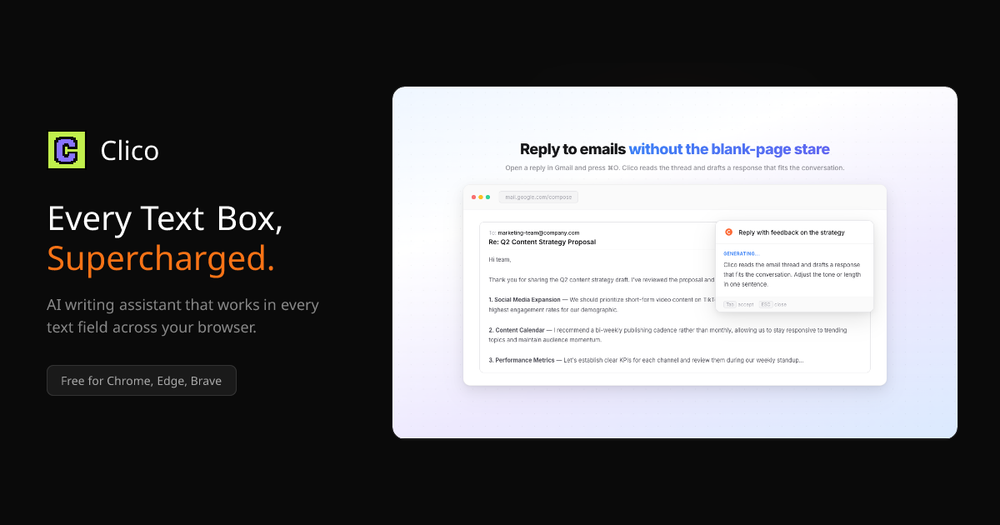
Clico is an AI writing assistant browser extension that integrates directly into every text box, helping you write, summarize, and search without leaving you...

Summary

Clico is a browser extension that integrates AI directly into every text box, enabling you to write, summarize, and search without ever leaving your current tab.

What is Clico?

Clico is a powerful AI writing assistant browser extension designed to supercharge your productivity by integrating directly into every text box you encounter online. By eliminating the need to switch tabs or copy-paste content into external AI tools, Clico allows you to draft, summarize, and search seamlessly within your existing workflow. Whether you are writing emails, managing documents, or browsing the web, Clico provides intelligent, context-aware assistance right at your cursor.

Key Features
  • Context-Aware Writing: Use the ⌘+O shortcut in any text field to have Clico draft replies or content based on the specific context of the page you are viewing.
  • Instant Summarization: Double-tap the ⌘ key to generate structured summaries, key takeaways, and action items from any webpage or PDF.
  • AI-Powered Search: Highlight any text on a page to receive an immediate AI-powered explanation or answer without leaving your current reading flow.
  • Voice Input: Utilize the hold-to-speak feature for real-time transcription, allowing you to dictate your thoughts directly into text boxes without using a keyboard.
  • Universal Compatibility: Works across all major platforms including Gmail, Notion, Google Docs, Slack, LinkedIn, and more, ensuring a consistent experience wherever you work.


Key Highlights

  • Integrates AI directly into every text box on the web.
  • No API key or complex configuration required to get started.
  • Boosts productivity by eliminating the need to switch tabs.
  • Provides context-aware drafting for emails and social media posts.
  • Offers instant page summarization with a simple keyboard shortcut.
  • Supports real-time voice-to-text transcription for hands-free writing.

Ideal For

  • 1.Content creators who need to draft social media posts and replies quickly.
  • 2.Professionals managing high volumes of email who want to draft responses faster.
  • 3.Students and researchers who need to summarize long articles and PDFs instantly.
  • 4.Knowledge workers who want to stay in their flow without switching tabs for AI help.

Frequently Asked Questions

Is Clico free to use?

Clico is free to install and use. You can get started immediately from the Chrome Web Store without needing an API key or credit card.

Which websites and apps does Clico support?

Clico works on any website with a text field, including Google Docs, Notion, Gmail, Slack, Discord, LinkedIn, and Substack. It is designed to function seamlessly wherever you type.

Which browsers are compatible with Clico?

Clico is compatible with Chrome, Edge, Brave, Arc, and any other Chromium-based browser. Simply install the extension from the Chrome Web Store to begin.

How does Clico understand the context of my work?

Clico reads the visible content on your current page to provide context-aware assistance. This allows you to generate replies or summaries without the need to copy and paste text into a separate AI tool.

Information

Traffic

Last update: N/A

Latest month
N/A

No traffic data available yet.

Newsletter

Join the Community

Subscribe to our newsletter for the latest news and updates